Managing TLS Certificates Using Ansible and Let’s Encrypt! PART 4:
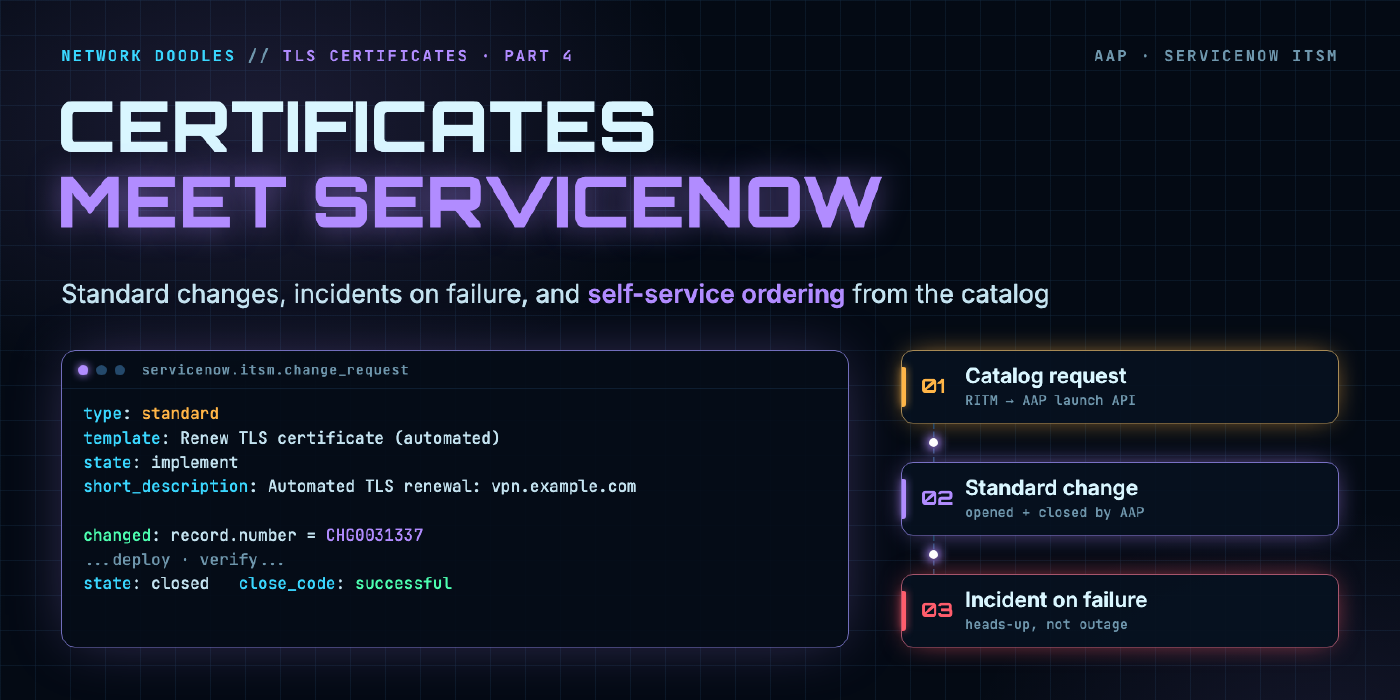
Close the loop with ServiceNow: the AAP renewal workflow opens and closes its own standard change, raises an incident when verification fails, and new certificates can be ordered from the ServiceNow service catalog without anyone touching AAP.
part 6 of 6 · series Let's Encrypt with Ansible
- 1Request a certificate with Ansible Core
- 2Run it from AWX / AAP with GitOps
- 2.1Deploy to Cisco ASA
- 2.2Deploy to F5 BIG-IP
- 3Scheduled auto-renewal workflows
- 4ServiceNow change and catalog integration
Introduction
In Part 3 we built a workflow that renews, deploys and verifies certificates on its own. Technically, we’re done. Then the change advisory board finds out that something is changing production firewalls and load balancers every few weeks with no change record, and suddenly we’re not done.
This last part connects the pipeline to ServiceNow in both directions:
- AAP → ServiceNow: every renewal that actually changes something opens a standard change, and closes it as successful or unsuccessful based on the verify step. A failed verification also opens an incident.
- ServiceNow → AAP: application teams order a new certificate from the service catalog, and the request launches the AAP workflow with no ticket handoff and no copy-paste.
None of this changes how certificates are issued or deployed. It wraps the pipeline from Part 3 in the records your organization already relies on.
Prerequisites
- The
LE - Certificate Lifecycleworkflow from Part 3 - A ServiceNow instance (a free Personal Developer Instance is perfect for building this)
- A ServiceNow integration user with the
itilrole - The
servicenow.itsmcollection (certified, on Automation Hub and Galaxy)
The Flow
Three scenarios this time: the scheduled renewal now opens its own change, a new certificate gets ordered from the catalog, and verification fails.
1. ServiceNow Setup
1.1 Integration user
In ServiceNow, create a user like svc_aap_certs with the itil role and a strong password, and set Web service access only so it can’t log in interactively. Every change and incident the pipeline creates will be attributed to this account, which makes the audit trail obvious.
1.2 Standard change template
Certificate renewal is about as textbook a standard change as it gets: low risk, pre-approved, done the same way every time.
- Go to Change → Standard Change → Standard Change Proposal and propose a new template.
- Template name:
Renew TLS certificate (automated) - Short description:
Automated TLS certificate renewal - Assignment group: your network team
- Implementation plan: link to this series, or better, your own runbook
- Backout plan: “Repoint the client SSL profile / trustpoint at the previous certificate version”
- Submit and get it approved through your normal process. This is the one time a human approves it.
Write down the exact template name. The playbook refers to it by name.
2. AAP Setup
2.1 Collection
Add servicenow.itsm to the project’s collections/requirements.yml:
collections:
  - name: community.crypto
  - name: community.dns
  - name: f5networks.f5_modules
  - name: servicenow.itsm
2.2 Credential
The servicenow.itsm modules read their connection details from environment variables, which makes the credential type short. Administration → Credential Types → Add:
- Name:
ServiceNow ITSM - Input configuration:
---
fields:
  - id: instance
    type: string
    label: Instance URL
  - id: username
    type: string
    label: Username
  - id: password
    type: string
    label: Password
    secret: true
required:
  - instance
  - username
  - password
- Injector configuration:
---
env:
  SN_HOST: '{{ instance }}'
  SN_USERNAME: '{{ username }}'
  SN_PASSWORD: '{{ password }}'
Create a credential of this type with your instance URL (https://dev12345.service-now.com) and the integration user.
3. Open the Change
change_open.yml runs right after LE - Renew. If nothing was renewed, it does nothing. Otherwise it opens a standard change and passes the number down the workflow.
---
- name: Open a standard change for renewed certificates
  hosts: localhost
  gather_facts: false
  tasks:
    - name: Nothing renewed, nothing to record
      ansible.builtin.meta: end_play
      when: certs | default([]) | length == 0

    - name: Create the change from the standard template
      servicenow.itsm.change_request:
        type: standard
        template: Renew TLS certificate (automated)
        state: implement
        short_description: "Automated TLS renewal: {{ certs | join(', ') }}"
        description: |
          Certificates renewed by AAP workflow job {{ awx_workflow_job_id | default('n/a') }}:
          {% for c in certs %}
          - {{ c }}
          {% endfor %}
          {% if ritm is defined %}Requested via {{ ritm }}.{% endif %}
      register: chg

    - name: Hand the change number to the rest of the workflow
      ansible.builtin.set_stats:
        data:
          change_number: "{{ chg.record.number }}"
          change_sys_id: "{{ chg.record.sys_id }}"
        per_host: false
awx_workflow_job_id is set automatically by AAP for jobs that run inside a workflow, so the change always points back to the exact run that made it.
change_request task that moves it along. The module only needs number and the new state.4. Close the Change
Two small playbooks, one for each outcome. change_close_success.yml:
---
- name: Close the change as successful
  hosts: localhost
  gather_facts: false
  tasks:
    - name: Nothing to close
      ansible.builtin.meta: end_play
      when: change_number is not defined

    - name: Move to review, then close
      servicenow.itsm.change_request:
        number: "{{ change_number }}"
        state: "{{ item }}"
        close_code: successful
        close_notes: >-
          Renewed, deployed and verified by AAP.
          Served certificate serials match cert-store for: {{ certs | join(', ') }}.
          Workflow job {{ awx_workflow_job_id | default('n/a') }}.
      loop: [review, closed]
And change_close_failed.yml, which also opens an incident so a human actually picks it up:
---
- name: Close the change as unsuccessful and raise an incident
  hosts: localhost
  gather_facts: false
  tasks:
    - name: Open an incident for the network team
      servicenow.itsm.incident:
        state: new
        impact: medium
        urgency: high
        assignment_group: Network Operations
        short_description: "TLS certificate verification failed: {{ certs | default(['unknown']) | join(', ') }}"
        description: >-
          AAP renewed and deployed the certificate but the endpoint is not serving it.
          Change {{ change_number | default('n/a') }}, workflow job {{ awx_workflow_job_id | default('n/a') }}.
          The previous certificate is still valid; this is not an outage yet.
      register: incident

    - name: Close the change, pointing at the incident
      servicenow.itsm.change_request:
        number: "{{ change_number }}"
        state: "{{ item }}"
        close_code: unsuccessful
        close_notes: "Verification failed. See {{ incident.record.number }}."
      loop: [review, closed]
      when: change_number is defined
That last line of the description matters more than it looks. Because we renew 30 days early, a failed renewal is a heads-up, not an outage, and the incident should say so. Your on-call team will appreciate not being paged at 6am for something that can wait until 9.
5. Update the Workflow
Create job templates for the three new playbooks (each with the ServiceNow ITSM credential), then edit LE - Certificate Lifecycle in the visualizer:
Start
  └─ LE - Renew
       └─(success)─ SN - Open Change
                       ├─(success)─ LE - Deploy ASA ─┐
                       └─(success)─ LE - Deploy F5  ─┤ (convergence: All)
                                                     └─ LE - Verify
                                                          ├─(success)─ SN - Close Change (successful)
                                                          └─(failure)─ SN - Close Change (failed) + Incident
- Insert SN - Open Change between LE - Renew and the two deploy nodes.
- After LE - Verify, add SN - Close Change (successful) on success and SN - Close Change (failed) on failure.
- Optionally, add the failed close node on failure of each deploy node too, so a deploy failure also gets recorded.
On a quiet day, every new node exits on its first task. No change records for days when nothing changed.
6. Order Certificates from the Service Catalog
Now the other direction. Application teams shouldn’t need AAP access or a ticket to the network team to get a certificate.
6.1 Make the workflow launchable with variables
On the workflow template, check Prompt on launch for Variables. The catalog will pass:
fqdn: app.example.com
email: app-team@example.com
targets: [f5]          # which deploy jobs should act
ritm: RITM0010042
Two small changes make the workflow handle a new certificate:
- In
renew_certs.yml, add anyfqdnpassed at launch tocert_list.txt(if it isn’t already there) before checking what’s due. A certificate with no file yet counts as due, so it gets issued in the same run. - In each deploy playbook, add an early
end_playwhentargetsis defined and doesn’t include that platform. Scheduled runs don’t passtargets, so they still deploy everywhere.
6.2 Create a token for ServiceNow
In AAP, create a dedicated user (for example svc_servicenow) with Execute permission on only this workflow template, and generate an API token for it. If that token ever leaks, the worst anyone can do is renew certificates.
6.3 Catalog item and flow
In ServiceNow:
- Service Catalog → Maintain Items → New:
New TLS certificate, with variablesfqdn(single line text, validated as a hostname),target(choice: ASA VPN, F5 VIP) andowner_email. - In Flow Designer, create a flow triggered by that catalog item. Add an action that calls AAP. Use the Red Hat Ansible spoke if you have IntegrationHub, or a plain REST step:
POST https://aap.example.com/api/controller/v2/workflow_job_templates/<id>/launch/
Authorization: Bearer <svc_servicenow token>
Content-Type: application/json

{
  "extra_vars": {
    "fqdn": "${fqdn}",
    "email": "${owner_email}",
    "targets": ["${target}"],
    "ritm": "${ritm.number}"
  }
}
- Store the AAP token in a ServiceNow Connection & Credential alias, not in the flow itself.
6.4 Close the RITM from AAP
Add two tasks to change_close_success.yml so the requester hears back when it’s actually live, not when the request was accepted:
    - name: Look up the RITM
      servicenow.itsm.api_info:
        resource: sc_req_item
        sysparm_query: "number={{ ritm }}"
        columns: [sys_id, number]
      register: ritm_info
      when: ritm is defined

    - name: Tell the requester their certificate is live
      servicenow.itsm.api:
        resource: sc_req_item
        action: patch
        sys_id: "{{ ritm_info.record[0].sys_id }}"
        data:
          state: "3"          # Closed Complete
          work_notes: "Certificate for {{ fqdn }} issued, deployed and verified. Change {{ change_number }}."
      when: ritm is defined
3 for Closed Complete are the out-of-box defaults. If your instance has customized RITM states, look them up under System Definition → Choice Lists for sc_req_item.state.Wrapping Up the Series
Here’s where we started and where we ended up:
| Part | What it added |
|---|---|
| 1 | Request a certificate with Ansible Core, DNS-01 through Cloudflare, secrets in Vault |
| 2 | Run it from AWX/AAP, store certificates in a cert-store Git repo |
| 2.1 | Deploy to Cisco ASA |
| 2.2 | Deploy to F5 BIG-IP with zero-downtime swaps |
| 3 | Daily scheduled workflow: renew what’s due, deploy in parallel, verify what’s served |
| 4 | ServiceNow change records, incidents on failure, and self-service ordering |
The end result is a certificate pipeline that runs itself, proves its own work, leaves an audit trail your change board will actually like, and lets app teams self-serve. When certificate lifetimes drop to 47 days, nothing about it changes except one variable.
If you build this out, I’d love to hear how it went. Find me on LinkedIn or the YouTube channel. And if you want the next step: put Event-Driven Ansible on the verify results, so a certificate that goes bad mid-cycle triggers a renewal on its own without waiting for 6am.
Related doodles
Managing TLS Certificates Using Ansible and Let’s Encrypt! PART 3:
Turn the request, deploy and verify playbooks from Parts 1 through 2.2 into a scheduled AWX/AAP workflow that checks every certificate daily, renews …
Managing TLS Certificates Using Ansible and Let’s Encrypt! PART 2.2:
Deploy Let's Encrypt certificates from your cert-store repo to F5 BIG-IP with Ansible and AWX/AAP: custom credentials, versioned cert and key objects, …
Managing TLS Certificates Using Ansible and Let’s Encrypt! PART 2.1:
In this post, we’ll demonstrate how to automate the deployment of Let's Encrypt certificates to Cisco ASA firewalls using Ansible, specifically within …