What TLS Shows Without Decrypting It: SNI, Versions and Ciphers (Wireshark 101, Lesson 7)
HTTPS hides the page, not the handshake. What Wireshark still reads in TLS 1.2 and 1.3: the server name, versions, ciphers, ALPN and certificate, why the version fields lie, and how key logs decrypt your own traffic.
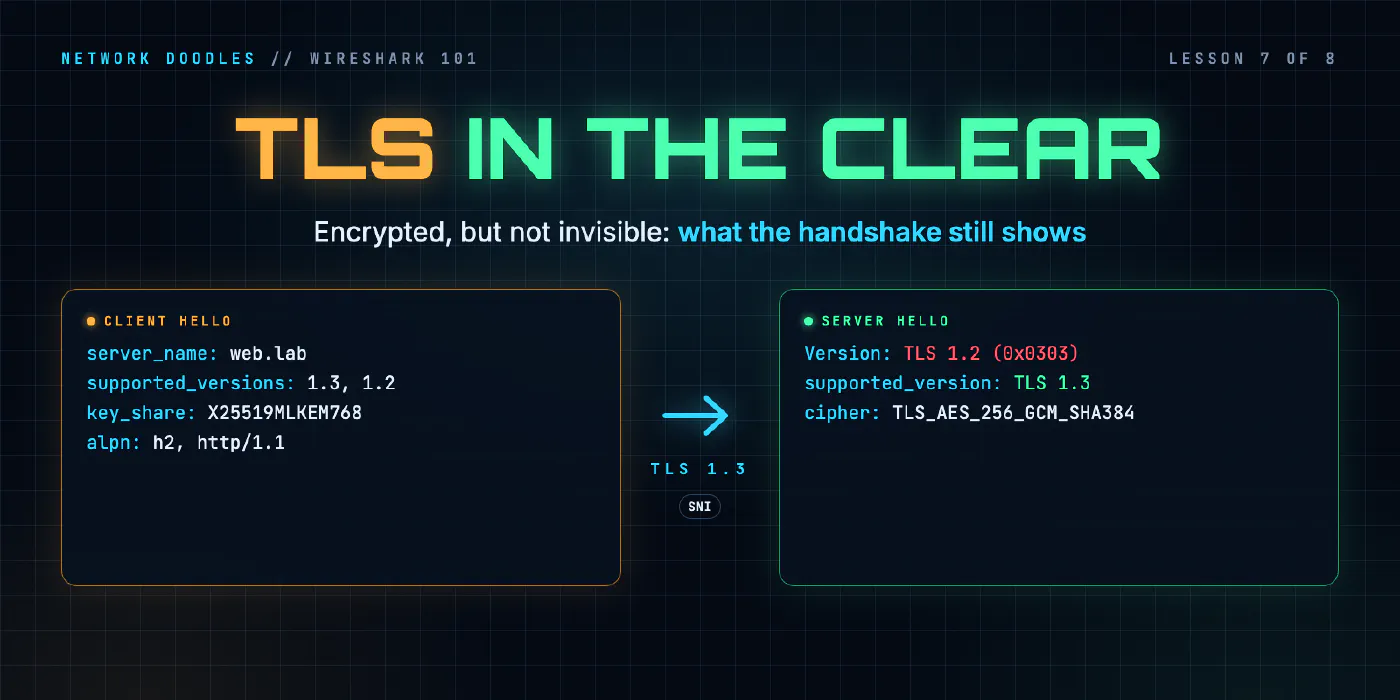
lesson 7 of 8 · course Wireshark 101
- 1What a capture shows
- 2Capture vs display filters
- 3ARP: finding the neighbor
- 4DHCP: getting an address
- 5DNS: names to addresses
- 6TCP: handshake, data, teardown
- 7TLS without decrypting it
- 8Troubleshooting a broken path
TLS encrypts the content of a connection, but not the start of it. Before the two ends can encrypt anything, they have to agree how, and that negotiation, the handshake, is partly in the clear. From a capture, without any keys, you can read the server name the client asked for, the TLS versions and cipher suites it offered, the ones the server chose, and the application protocols on offer. In TLS 1.2 you can read the server’s certificate too. In TLS 1.3 you can’t. And with a key log file from your own client, you can decrypt the rest.
That’s usually all a network engineer needs. When an HTTPS connection fails, the question is rarely “what was in
the page”. It’s “which name, which version, which certificate, and did the handshake finish”. This lesson uses
two connections from the Wireshark 101 lab: curl opening https://web.lab/ with TLS
1.3, and https://intranet.lab/secret.txt with TLS 1.2.
What is TLS, and what does it hide?
TLS (Transport Layer Security) is the S in HTTPS. It runs on top of an ordinary TCP connection (lesson 6) and encrypts everything the application sends: the page, the path after the name, headers, cookies, passwords. In a capture, all of that is a series of records labeled Application Data, with a length and nothing else.
What it doesn’t hide:
| Visible | Where | Why it’s there |
|---|---|---|
| IP addresses and ports | IP and TCP headers | TLS rides inside TCP; routers still need them |
| SNI, the server name | Client Hello | one server can host many names, and it needs to know which certificate to send |
| versions and cipher suites offered | Client Hello | the client lists what it can do |
| version and cipher suite chosen | Server Hello | the server picks one of each |
| ALPN protocols offered | Client Hello | which application protocol will run inside, such as h2 or http/1.1 |
| the server’s certificate | TLS 1.2 only | in TLS 1.3 it’s encrypted |
| record sizes and timing | every record | encryption hides content, not length |
The Client Hello is the client’s first message: everything it supports, in one go. The Server Hello is the server’s reply with its choices. Everything else follows from those two.
SNI: the name you asked for
SNI (Server Name Indication) is an extension in the Client Hello that carries the host name. Wireshark puts it straight into the Info column:
 9 0.321656708 192.168.1.175 → 192.168.2.10 SSL 1514
10 0.321665750 192.168.1.175 → 192.168.2.10 TLSv1.2 176 Client Hello (SNI=web.lab)
...
34 0.389741458 192.168.1.175 → 192.168.2.10 SSL 1514
35 0.389743208 192.168.1.175 → 192.168.2.10 TLSv1.2 181 Client Hello (SNI=intranet.lab)
Both connections go to the same address, 192.168.2.10. The IP header can’t tell them apart. The SNI can. It exists because one address commonly serves many names, and the server has to choose the right certificate before any encryption starts.
That makes SNI the most useful field in an HTTPS capture. It’s how you find which connection is the one to
the site that’s broken, and it’s what firewalls, proxies and monitoring tools that don’t decrypt use to decide
what a connection is. The filter tls.handshake.extensions_server_name == "web.lab" finds every connection to
one name.
Why does the Client Hello say TLS 1.2 when it’s TLS 1.3?
Look at the Protocol column above: the Client Hello says TLSv1.2. Open it and it gets stranger:
TLSv1.3 Record Layer: Handshake Protocol: Client Hello
    Version: TLS 1.0 (0x0301)
    Handshake Protocol: Client Hello
        Version: TLS 1.2 (0x0303)
        ...
        Extension: supported_versions (len=5) TLS 1.3, TLS 1.2
Three version numbers in one message, and only the last one is honest. This is deliberate.
RFC 8446, the TLS 1.3 standard, freezes the old version fields at
TLS 1.2 (and allows 1.0 on the record of the first Client Hello), because some middleboxes broke connections
that showed a version they didn’t recognize. The real negotiation moved into an extension,
supported_versions, where the client lists every version it can do and the server answers with the one it
picked.
The Server Hello shows the result:
TLSv1.3 Record Layer: Handshake Protocol: Server Hello
    Version: TLS 1.2 (0x0303)
    Handshake Protocol: Server Hello
        Version: TLS 1.2 (0x0303)
        Cipher Suite: TLS_AES_256_GCM_SHA384 (0x1302)
        Extension: supported_versions (len=2) TLS 1.3
        Extension: key_share (len=1124) X25519MLKEM768
Twice “TLS 1.2”, once “TLS 1.3”, and the extension wins. Wireshark knows this and labels the record TLSv1.3. The
rule for reading a version: trust supported_versions in the Server Hello. If there isn’t one, the
connection is TLS 1.2 or older, and the Server Hello’s own version field is the real one. The filter
tls.handshake.extensions.supported_version == 0x0304 matches TLS 1.3 handshakes.
Cipher suites: offered and chosen
A cipher suite names the algorithms a connection will use. The laptop’s curl offered 30 of them, most preferred first:
Cipher Suites (30 suites)
    Cipher Suite: TLS_AES_256_GCM_SHA384 (0x1302)
    Cipher Suite: TLS_CHACHA20_POLY1305_SHA256 (0x1303)
    Cipher Suite: TLS_AES_128_GCM_SHA256 (0x1301)
    Cipher Suite: TLS_ECDHE_ECDSA_WITH_AES_256_GCM_SHA384 (0xc02c)
    Cipher Suite: TLS_ECDHE_RSA_WITH_AES_256_GCM_SHA384 (0xc030)
    ...
The first three are TLS 1.3 suites. In 1.3 a suite names only the encryption (AES-256 in GCM mode) and the hash
(SHA-384); the key exchange is negotiated separately. The rest are TLS 1.2 suites, which name everything in one
string: ECDHE_RSA_WITH_AES_256_GCM_SHA384 is an ECDHE key exchange, an RSA certificate, AES-256-GCM and SHA-384.
The two lab connections chose differently:
| TLS 1.3 connection | TLS 1.2 connection | |
|---|---|---|
| Version | TLS 1.3 (from supported_versions) | TLS 1.2 (no supported_versions) |
| Cipher suite | TLS_AES_256_GCM_SHA384 (0x1302) | TLS_ECDHE_RSA_WITH_AES_256_GCM_SHA384 (0xc030) |
| ALPN chosen | encrypted | http/1.1, in the clear |
| Certificate | encrypted | in the clear |
When a handshake fails because the two sides have nothing in common, this is where you see it: compare the client’s list with what the server supports. A server that answers a Client Hello with an alert instead of a Server Hello usually didn’t like something in that list.
Why is the lab’s Client Hello 1,558 bytes?
Notice frame 9 in the listing above: SSL, 1514 bytes, with no description. The Client Hello didn’t fit in one packet. It’s 1,558 bytes of TCP payload, more than the 1,460 a segment can carry on a 1,500-byte network, so TCP split it, and Wireshark can only decode it once frame 10 completes it.
The reason is its key share. In TLS 1.3 the client guesses which key exchange the server will pick and sends
its half of it straight away, to save a round trip. curl on the lab’s laptop offers X25519MLKEM768 first: a
hybrid that combines the classic X25519 exchange with ML-KEM, a key exchange designed to resist future quantum
computers.
Extension: key_share (len=1258) X25519MLKEM768, x25519
    Key Share Entry: Group: X25519MLKEM768, Key Exchange length: 1216
    Key Share Entry: Group: x25519, Key Exchange length: 32
The hybrid share is 1,216 bytes; the plain X25519 one is 32. The server took the hybrid, and its own share in the Server Hello is 1,120 bytes. A whole Client Hello from a few years ago fitted in a few hundred bytes. The lab’s TLS 1.2 Client Hello, which leaves out the TLS 1.3 key shares, is a 292-byte frame.
That size has consequences. A Client Hello that needs two segments is the first thing to break on a path with an MTU problem, while ping, DNS and small HTTP requests keep working. Lesson 8 breaks exactly that.
ALPN: which protocol runs inside
ALPN (Application-Layer Protocol Negotiation) lets the client say which protocols it can speak inside the encrypted connection. curl offered two:
Extension: application_layer_protocol_negotiation (len=14)
    ALPN Next Protocol: h2
    ALPN Next Protocol: http/1.1
h2 is HTTP/2. The server’s choice is where TLS 1.2 and 1.3 differ. In TLS 1.2 it’s in the Server Hello, in the
clear: the lab’s server answered http/1.1. In TLS 1.3 it moved into the Encrypted Extensions message, sent
after encryption starts, so a capture only shows what was offered.
The certificate: in the clear in 1.2, encrypted in 1.3
A certificate is a signed document that says “this public key belongs to these names”, signed by a certificate authority (CA) that the client already trusts. In TLS 1.2 the server sends it in the clear, right after its Server Hello:
11 0.252885000 192.168.2.10 → 192.168.1.175 TLSv1.2 1402 Server Hello, Certificate, Server Key Exchange, Server Hello Done
Open it and the details are all there:
issuer: rdnSequence (0)
    rdnSequence: 2 items (id-at-commonName=Network Doodles Lab CA,id-at-organizationName=Network Doodles Lab)
subject: rdnSequence (0)
    rdnSequence: 2 items (id-at-commonName=web.lab,id-at-organizationName=Network Doodles Lab)
...
    GeneralName: dNSName (2)
        dNSName: web.lab
    GeneralName: dNSName (2)
        dNSName: intranet.lab
The client asked for intranet.lab, and got a certificate whose common name is web.lab. That isn’t an error:
the subjectAltName (SAN) list covers both names, and the SAN list is what clients check. Reading this off the
wire is how you settle “certificate name mismatch” and “unknown issuer” arguments without logging in to the
server.
In TLS 1.3, the Server Hello is followed by Change Cipher Spec, Application Data. The Change Cipher Spec is a leftover that RFC 8446 keeps for middlebox compatibility. The certificate is inside the Application Data, encrypted with keys from the key exchange. A capture of a TLS 1.3 connection doesn’t show which certificate the server sent.
Decrypting your own traffic with a key log file
You can’t decrypt someone else’s TLS from a capture. With an ephemeral key exchange, which both lab connections used (ECDHE in 1.2, the X25519MLKEM768 hybrid in 1.3), even the server’s private key isn’t enough: each connection makes fresh keys and throws them away. That property is called forward secrecy.
But you can decrypt your own traffic, because your client knows the keys. Many TLS libraries write their
session secrets to a file when the environment variable SSLKEYLOGFILE names one. curl does, and so do Firefox
and Chrome. The file is plain text, one line per secret:
CLIENT_RANDOM <64 hex digits: the Client Hello's random> <96 hex digits: the session's secret>
The random value tells Wireshark which connection a line belongs to. Point Wireshark at the file (the TLS protocol preferences, (Pre)-Master-Secret log filename) and the Application Data becomes what it was:
15 0.259969042 192.168.1.175 → 192.168.2.10 HTTP 181 GET /secret.txt HTTP/1.1
16 0.260409750 192.168.2.10 → 192.168.1.175 HTTP 442 HTTP/1.1 200 OK  (text/plain)
The capture didn’t change. The keys are the only thing that makes it readable. Wireshark’s TLS page covers the other ways to supply keys.
Why a key log file is as sensitive as a password
Anyone who has the key log file and a capture of the same traffic can read everything in it: session cookies, passwords typed into forms, API tokens. It defeats forward secrecy completely, after the fact, for every connection in the file. So:
- set
SSLKEYLOGFILEfor one debugging session, in one shell, never in a profile that every program inherits; - keep the file next to the capture only as long as you need it, then delete both;
- never attach a key log file to a ticket, a chat or a shared drive with the capture.
What about Encrypted Client Hello?
ECH (Encrypted Client Hello) closes the biggest gap left in TLS 1.3. It was published in March 2026 as RFC 9849. The client sends an outer Client Hello in the clear and the real one encrypted inside it, so the real server name and the ALPN list are hidden. The outer Client Hello still carries a server name, but it’s a public name chosen by the server’s operator, often shared by many sites. The lab doesn’t use ECH. Where it is used, the SNI in a capture tells you less than this lesson suggests.
What I see go wrong
Reading the wrong version. The Protocol column and the record header both say 1.2 for a TLS 1.3 Client
Hello. Read supported_versions in the Server Hello, every time.
Hunting for the certificate in TLS 1.3. It isn’t there to find. If you need to see which certificate a server sends, connect with a client that shows it, or decrypt your own session.
Missing a split Client Hello. A frame marked SSL with no description, followed by the Client Hello, is one message in two segments. That’s normal, and it’s also the first thing to vanish on a path with an MTU problem.
Leaving SSLKEYLOGFILE set. It quietly keeps writing secrets for every connection every program makes. Set
it for one command, and unset it.
Try it
Chapter 7 of the lab has you read the SNI, the versions, the cipher and ALPN from two connections, then read a TLS 1.2 certificate and decrypt a page with the key log file curl saved.
What’s next
Lesson 8 puts the whole course to work on three broken paths: packet loss, a fault the lab picks at random, and a black hole that lets ping through but not that 1,558-byte Client Hello.
Related doodles
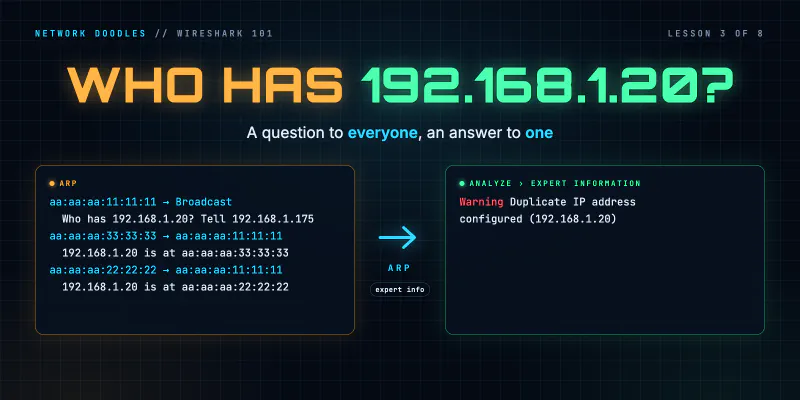
ARP on the Wire: Who Has This Address? (Wireshark 101, Lesson 3)
ARP turns an IP address into a MAC address with one broadcast question and one unicast answer. The fields, the neighbor cache, ARP for the gateway, …
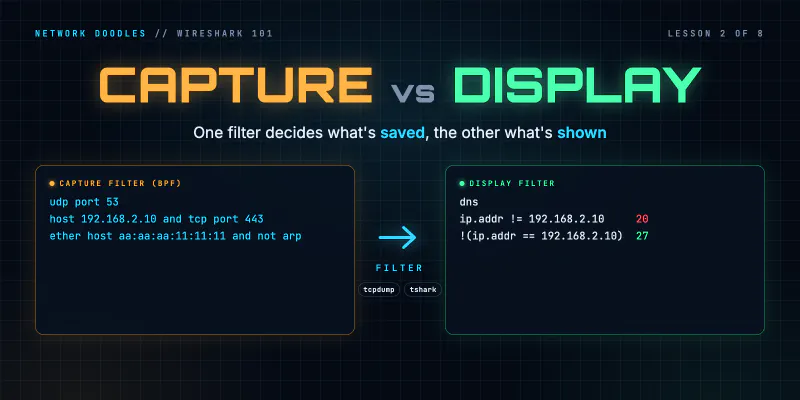
Capture Filters vs Display Filters (Wireshark 101, Lesson 2)
Capture filters decide what's saved and can't be undone. Display filters decide what you see. BPF vs Wireshark fields, contains and matches, and why …
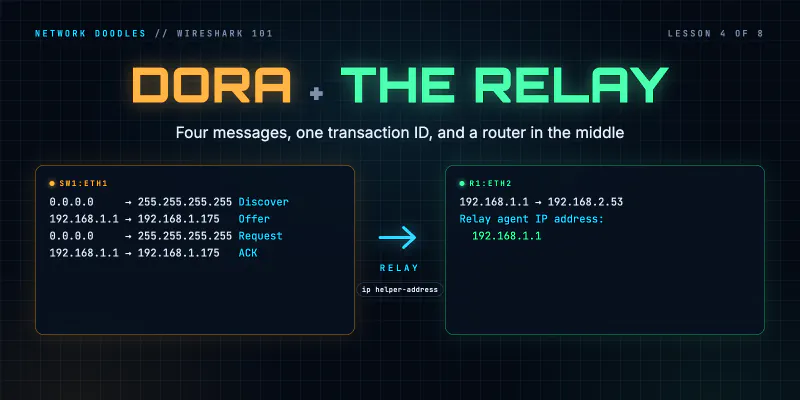
DHCP on the Wire: How a Host Gets an Address (Wireshark 101, Lesson 4)
DHCP in packets: four messages sent before the host has an address, the options that matter, leases and renewal, and how a relay with ip …