TCP in Wireshark: Handshake, Sequence Numbers, FIN and RST (Wireshark 101, Lesson 6)
One web page is twelve TCP frames. How to read the handshake, sequence and acknowledgement numbers, the window and SYN options in Wireshark, how a connection closes, and why refused differs from no answer.
lesson 6 of 8 · course Wireshark 101
- 1What a capture shows
- 2Capture vs display filters
- 3ARP: finding the neighbor
- 4DHCP: getting an address
- 5DNS: names to addresses
- 6TCP: handshake, data, teardown
- 7TLS without decrypting it
- 8Troubleshooting a broken path
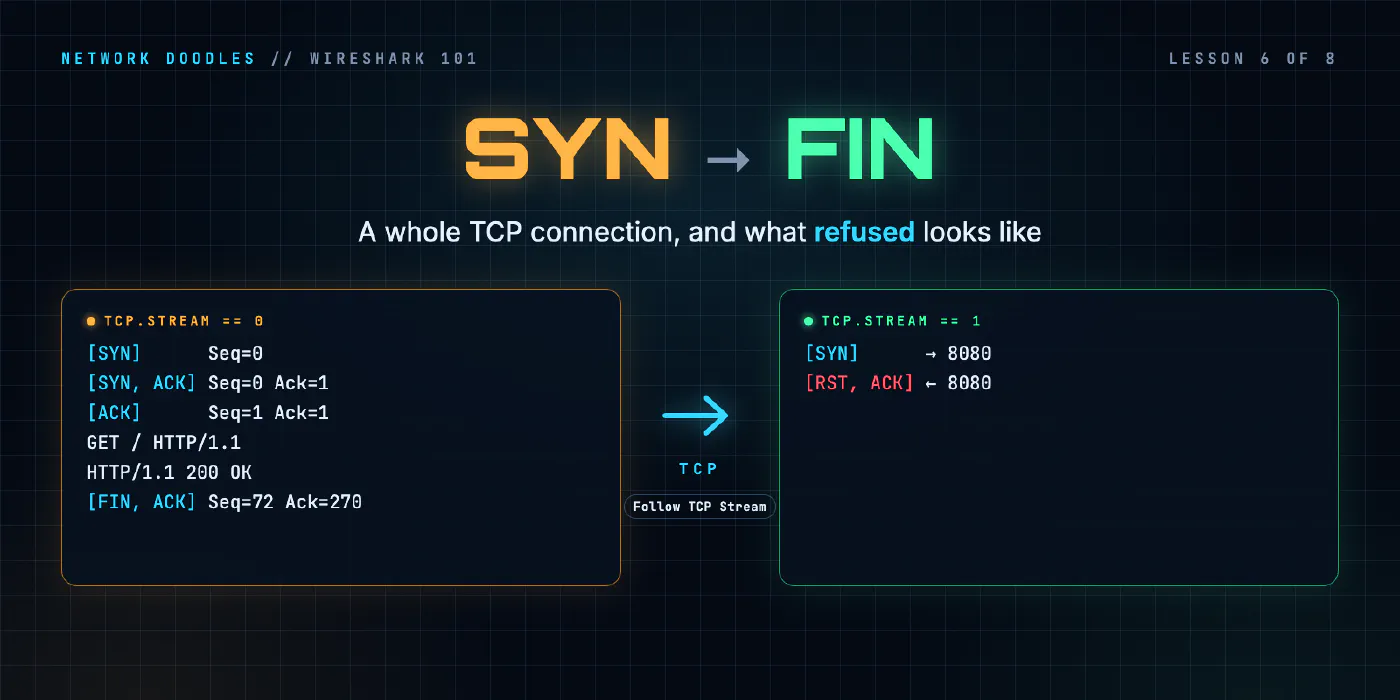
TCP turns a network that loses and reorders packets into a reliable stream of bytes, and it does all of that in the open, where a capture can watch. A connection opens with three packets (SYN, SYN-ACK, ACK), numbers every byte it sends, acknowledges what arrived, and closes each direction with a FIN. A refused connection is two packets: a SYN and a RST. Once you can read those, you can read most of what goes wrong on a network.
Every protocol in this course so far (ARP, DHCP, DNS) has been one question and one answer. A web page can’t
work like that, so this lesson follows one: curl http://web.lab/ in the
Wireshark 101 lab, captured on the laptop’s cable.
What does a whole TCP connection look like?
Here’s the entire connection, from the reference capture. DNS for web.lab came first and isn’t shown.
 6 0.021836458 192.168.1.175 → 192.168.2.10 TCP 74 47996 → 80 [SYN] Seq=0 Win=64240 Len=0 MSS=1460 SACK_PERM TSval=2403693004 TSecr=0 WS=128
 7 0.022324792 192.168.2.10 → 192.168.1.175 TCP 74 80 → 47996 [SYN, ACK] Seq=0 Ack=1 Win=65160 Len=0 MSS=1460 SACK_PERM TSval=4000512039 TSecr=2403693004 WS=128
 8 0.022400375 192.168.1.175 → 192.168.2.10 TCP 66 47996 → 80 [ACK] Seq=1 Ack=1 Win=64256 Len=0 ...
 9 0.022699583 192.168.1.175 → 192.168.2.10 HTTP 137 GET / HTTP/1.1
10 0.022722250 192.168.2.10 → 192.168.1.175 TCP 66 80 → 47996 [ACK] Seq=1 Ack=72 Win=65152 Len=0 ...
11 0.025193000 192.168.2.10 → 192.168.1.175 TCP 302 HTTP/1.1 200 OK
12 0.025222875 192.168.1.175 → 192.168.2.10 TCP 66 47996 → 80 [ACK] Seq=72 Ack=237 Win=64128 Len=0 ...
13 0.025324750 192.168.2.10 → 192.168.1.175 HTTP 99 HTTP/1.1 200 OK  (text/html)
14 0.025327875 192.168.1.175 → 192.168.2.10 TCP 66 47996 → 80 [ACK] Seq=72 Ack=270 Win=64128 Len=0 ...
15 0.025727375 192.168.1.175 → 192.168.2.10 TCP 66 47996 → 80 [FIN, ACK] Seq=72 Ack=270 Win=64128 Len=0 ...
16 0.026296000 192.168.2.10 → 192.168.1.175 TCP 66 80 → 47996 [FIN, ACK] Seq=270 Ack=73 Win=65152 Len=0 ...
17 0.026305292 192.168.1.175 → 192.168.2.10 TCP 66 47996 → 80 [ACK] Seq=73 Ack=271 Win=64128 Len=0 ...
Twelve frames, four and a half milliseconds, for a 33-byte page. Three open the connection, three carry data (the request, and the answer in two pieces), three acknowledge that data, and three close it. Most of the packets are TCP keeping its promises, not carrying the page.
47996 → 80 is the two ports. A port says which program at each end owns the connection. Port 80 is the
web server. 47996 is an ephemeral port the laptop picked for this one connection; the next connection gets
a different one. The four numbers together (two addresses, two ports) identify a connection uniquely.
The three-way handshake
Before any data moves, the two ends agree to talk and tell each other where their numbering starts.
- SYN (synchronise), from the laptop: “I’d like to connect, and my bytes start here.”
- SYN, ACK, from web: “Agreed. Mine start here, and I’ve got your SYN.”
- ACK, from the laptop: “Got yours.”
After frame 8, both sides know each other’s starting number, and either can send. The time from the SYN to the
final ACK is the initial round-trip time. Wireshark calculates it as tcp.analysis.initial_rtt and shows
it on every packet of the stream: here it’s 0.56 ms. It’s a useful number to have, because every later delay in
the connection can be measured against it.
Sequence numbers: raw and relative
TCP numbers bytes, not packets. Every segment carries two numbers:
- Seq: the number of the first byte of data in this segment;
- Ack: the next byte this side expects from the other one. It means “I have everything before this”.
Each side starts at a random initial sequence number (ISN), chosen fresh for every connection so that
stray packets from an old connection, or a guess from an attacker, don’t land inside a new one. In this capture
the laptop’s ISN was 500774591 and web’s was 702278227. Those are hard to read, so Wireshark subtracts the ISN
and shows relative numbers that start at 0. The raw values are still in the packet as tcp.seq_raw and
tcp.ack_raw. You need them when you compare captures from two points and something in between rewrites
sequence numbers, which some firewalls do.
Now follow the numbers through the connection:
| Frame | Who | Seq | Ack | Len | What it says |
|---|---|---|---|---|---|
| 6 | laptop | 0 | 0 | SYN. A SYN counts as one byte | |
| 7 | web | 0 | 1 | 0 | “your SYN arrived; next I expect byte 1” |
| 9 | laptop | 1 | 1 | 71 | the HTTP request, bytes 1 to 71 |
| 10 | web | 1 | 72 | 0 | “got all 71; next I expect byte 72” |
| 11 | web | 1 | 72 | 236 | HTTP headers |
| 13 | web | 237 | 72 | 33 | the page itself |
| 14 | laptop | 72 | 270 | 0 | “got everything up to 269” |
Ack=72 after a 71-byte request starting at 1 is the whole idea. You can check, packet by packet, exactly
what each side has received. When something goes missing, it shows up as an Ack that stops moving, which is
what lesson 8 is about.
Frames 11 and 13 also show something you’ll see a lot: nginx sent its headers and the body in separate segments, 236 bytes and then 33. TCP doesn’t care where one HTTP message ends; it carries a stream. Wireshark reassembles the pieces and shows the complete HTTP response on the last one, frame 13, which is why frame 11’s Protocol column says TCP and not HTTP.
The window, and the options in the SYN
Win is the receive window: how many more bytes this side can accept right now, before it needs the sender to wait. It’s flow control. A receiver that’s falling behind advertises a smaller window, and a window of zero means “stop”.
The window field is only 16 bits, so it can’t say more than 65,535 bytes. That’s where the SYN’s options come in. A SYN is the only time each side can announce what it supports, and the lab’s SYN has four:
| Option | In the SYN | Means |
|---|---|---|
| MSS | MSS=1460 | the biggest chunk of data this side can receive in one segment: a 1,500-byte MTU minus 20 bytes of IP header and 20 of TCP |
| SACK_PERM | SACK_PERM | “I understand selective acknowledgements” (RFC 2018). Used when packets are lost, in lesson 8 |
| Timestamps | TSval=… TSecr=… | a clock value in every segment, echoed back, for measuring round-trip time (RFC 7323) |
| Window scale | WS=128 | multiply every later window value by 128 (RFC 7323) |
Window scaling explains a number that looks wrong at first. Frame 8 says Win=64256, but the raw window field
in the packet is 502. Wireshark saw WS=128 in the handshake and did the multiplication: 502 × 128 = 64,256.
It can only do that if it captured the SYNs. Start a capture halfway through a connection and Wireshark doesn’t
know the scale factor, so the windows it shows are too small.
Options only count if both sides send them. If one side’s SYN has no SACK_PERM, the connection doesn’t use
SACK. Comparing the options in the SYN and the SYN-ACK is how you find out what the connection really
negotiated.
FIN and RST: two ways to end
A connection closes politely with FIN (finish). Each direction closes separately: a FIN means “I’ve
finished sending”, not “go away”. In the lab, curl had the whole page, so it sent the first FIN (frame 15). web
answered with its own FIN (16), and the laptop acknowledged it (17). A FIN counts as one byte, just like a SYN,
which is why the Ack goes from 72 to 73. Whoever sends the first FIN chose to end the conversation. Here it was
the client, even though nginx had offered Connection: keep-alive.
RST (reset) is the other way: “this connection doesn’t exist, stop”. No goodbye, no acknowledgement. A RST mid-connection usually means one side crashed, timed out, or decided something was badly wrong. A RST in answer to a SYN means something much more specific.
Refused versus no answer
Here’s the laptop trying port 8080 on web, where nothing listens:
21 0.071235375 192.168.1.175 → 192.168.2.10 TCP 74 55482 → 8080 [SYN] Seq=0 Win=64240 Len=0 MSS=1460 SACK_PERM ...
22 0.071316959 192.168.2.10 → 192.168.1.175 TCP 54 8080 → 55482 [RST, ACK] Seq=1 Ack=1 Win=0 Len=0
Two packets, 0.08 ms apart. web’s operating system got a SYN for a port no program has open and answered straight away with a RST. curl reports Connection refused and stops.
A refusal is good news for troubleshooting. It proves the network path works in both directions, and that something at the far end is up and answering. The problem is the service: wrong port, program not running, program listening on a different address.
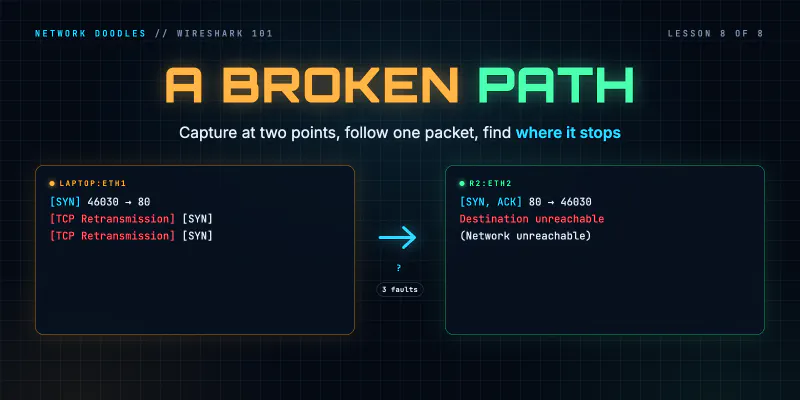
Compare that with a SYN that gets no answer at all. The client can’t tell whether the SYN was lost, so it sends it again, and again, until it gives up. In the lab’s broken-path chapter, the laptop sent the same SYN at 0, 1, 2, 3, 4, 5 and 7 seconds before curl’s eight-second limit ran out. From the application, that’s a hang: Connection timed out, eventually.
| What you see | What it means | Where to look |
|---|---|---|
| SYN, then RST, ACK | the host is reachable; nothing listens on that port | the server: is the service running, on that port? |
| SYN, SYN again, SYN again… | something on the path dropped the SYN or the answer | the network: a filter, a route, a firewall |
| SYN, SYN-ACK, then nothing works | the connection opened; the problem is later | sizes, the application, lesson 8 |
One caution: a RST proves something answered, not necessarily the server. Some firewalls reject a connection by sending a RST on the server’s behalf. If a refusal makes no sense, capture closer to the server and see whether the SYN ever arrived.
Streams, Follow TCP Stream and Conversations
A real capture holds many connections at once. Wireshark numbers each one, in the order it first sees them,
as tcp.stream. In the lab’s refused capture, stream 0 is the first page, stream 1 the refused attempt and
stream 2 the page again. The filter tcp.stream == 1 shows one connection and nothing else, which is the
fastest way to pull one conversation out of thousands of frames.
Two views build on streams.
Follow › TCP Stream strips away the packets and shows the bytes each side sent, in order, one color per side. For plain HTTP that’s the request and the response as text:
GET / HTTP/1.1
Host: web.lab
User-Agent: curl/8.14.1
Accept: */*

HTTP/1.1 200 OK
Server: nginx/1.28.3
Content-Type: text/html
Content-Length: 33
...
Hello from web.lab, 192.168.2.10
Statistics › Conversations › TCP lists every connection in the capture with its addresses, ports, frames, bytes and duration. For this page: 12 frames and 1,148 bytes, seven frames from the laptop and five from web. Sort it by bytes and the biggest transfers come to the top. Sort it by duration and the connections that hung around do.
What I see go wrong
Starting the capture too late. Without the handshake, Wireshark doesn’t know the window scale, the MSS or the initial RTT, and its analysis is weaker. Start capturing before the connection opens.
Counting packets instead of bytes. Seq and Ack count bytes. A missing packet shows up as a gap in the byte numbers, and two segments of very different sizes can carry one HTTP message. Read the numbers, not the number of lines.
Calling every RST a failure. A RST answering a SYN is the clearest answer TCP has. It’s silence that should worry you.
Assuming the client closed it. Whoever sent the first FIN (or the RST) ended the connection. When a connection “drops”, check which side did it first. The answer often points straight at a timeout on the other end.
Try it
Chapter 6 of the lab has you capture a page load, find the handshake and the FINs, then pick the refused connection out of three by its stream index.
What’s next
The same connection on port 443 starts with a handshake of its own, and most of it is still readable. Lesson 7 is about what TLS shows without decrypting anything, and how to decrypt your own when you need to. Back to lesson 5, DNS.
Related doodles
Troubleshooting a Broken Path with Wireshark: Loss, Silent Drops and MTU (Wireshark 101, Lesson 8)
Capture at two points at once and follow one packet: the fault is between the last place you see it and the first you don't. How loss, a silent ACL …
ARP on the Wire: Who Has This Address? (Wireshark 101, Lesson 3)
ARP turns an IP address into a MAC address with one broadcast question and one unicast answer. The fields, the neighbor cache, ARP for the gateway, …
Capture Filters vs Display Filters (Wireshark 101, Lesson 2)
Capture filters decide what's saved and can't be undone. Display filters decide what you see. BPF vs Wireshark fields, contains and matches, and why …