YAML, JSON and a First REST Call: One Inventory, Two Sources (Python 101, Lesson 7)
YAML and JSON are two ways of writing the same lists and dicts. Load an inventory with yaml.safe_load, meet the values YAML reads differently from you, round-trip it through JSON, then get the same devices from a REST API with requests and a token.
lesson 7 of 8 · course Python 101 for network engineers
- 1Running Python
- 2Strings, lists and dicts
- 3Loops, conditionals and functions
- 4Files, modules and errors
- 5Regex and TextFSM
- 6Talking to devices with Netmiko
- 7YAML, JSON and a first REST call
- 8Capstone: an inventory to CSV
YAML and JSON are two ways of writing down the same thing: lists and dicts of strings, numbers, booleans and
nothing (None). yaml.safe_load() turns a YAML file into those Python values, json.load() and
json.dumps() read and write JSON, and a REST API sends JSON back when you ask it with requests.get(). Two
cautions carry most of the lesson: use safe_load, never load, and quote any YAML value that could be read
as something other than a string, because NO is False and 2:30 is 150.
Lesson 6 wrote the list of devices into the script. Real inventories live outside the code, in a file people edit or in a system such as NetBox that a script asks over HTTP. This lesson reads the lab’s inventory both ways and gets the same list of dicts from each. The outputs are from the lab: PyYAML 6.0.3 and requests 2.34.2 on Python 3.11.
Why are YAML and JSON the same data?
Because both describe the two shapes lesson 2 built everything
from: a list (an ordered sequence) and a dict (keys and values). Here’s one device from the lab’s
inventory.yml:
devices:
  - name: r3
    host: 172.80.111.13
    device_type: arista_eos
    role: router
    model: CapeOS-Pulse
devices: is a key whose value is a list; each - starts an item; each item is a dict of five keys.
Indentation shows what belongs to what. Load it, and print that device as JSON:
>>> import yaml, json
>>> doc = yaml.safe_load(open("inventory.yml"))
>>> doc.keys()
dict_keys(['site', 'country', 'rack', 'backup', 'devices'])
>>> doc["devices"][2]
{'name': 'r3', 'host': '172.80.111.13', 'device_type': 'arista_eos', 'role': 'router', 'model': 'CapeOS-Pulse'}
>>> print(json.dumps(doc["devices"][2], indent=2))
{
  "name": "r3",
  "host": "172.80.111.13",
  "device_type": "arista_eos",
  "role": "router",
  "model": "CapeOS-Pulse"
}
Three spellings of one dict: YAML, Python and JSON. The differences are only in how they’re written:
| YAML | JSON | Python | |
|---|---|---|---|
| dict | key: value, indented | {"key": "value"} | {'key': 'value'} |
| list | - item lines | ["a", "b"] | ['a', 'b'] |
| string | usually unquoted | always "double quotes" | 'quotes' |
| true / false | true, false (and more, below) | true, false | True, False |
| nothing | null or ~ | null | None |
| comments | # like this | none | # like this |
YAML is written for people, which is why Ansible playbooks and most inventories use it (the YAML post covers its syntax in more depth). JSON (RFC 8259) is stricter and simpler to parse, which is why APIs send it.
How do you read and write JSON?
The json module is in the standard library. json.dumps() turns Python values into a JSON string
(dump string), and json.loads() turns a string back. Watch the booleans and None change spelling:
>>> json.loads('{"name": "r1", "snmp": true, "serial": null}')
{'name': 'r1', 'snmp': True, 'serial': None}
>>> json.dumps({"enabled": True, "serial": None})
'{"enabled": true, "serial": null}'
Without the s, json.dump(data, f) writes to an open file and json.load(f) reads one, the way
lesson 4 opened files with with open(...). indent=2 puts one
value per line, indented, for a person to read; without it the whole file is one line. A JSON round trip,
writing a list of dicts and reading it back, gives you exactly what you started with, which is what task 7.1
checks.
Why yaml.safe_load and never yaml.load?
Because YAML can carry tags, instructions that say what kind of object to build, and PyYAML’s full loader
will build any Python object a tag names, including calling a function. This one-line document asks for
os.getcwd() to be run:
>>> yaml.load("!!python/object/apply:os.getcwd []", Loader=yaml.UnsafeLoader)
'/workspaces/python-101'
It ran. getcwd is harmless; a file that names os.system instead runs a shell command on your machine, as
you, the moment you load it. safe_load only builds plain values (strings, numbers, booleans, None, lists
and dicts) and refuses everything else:
>>> yaml.safe_load("!!python/object/apply:os.getcwd []")
Traceback (most recent call last):
  ...
yaml.constructor.ConstructorError: could not determine a constructor for the tag 'tag:yaml.org,2002:python/object/apply:os.getcwd'
  in "<unicode string>", line 1, column 1:
    !!python/object/apply:os.getcwd []
    ^
An inventory is plain values, so safe_load loses nothing. PyYAML 5.1 started warning about yaml.load(f)
without a loader, and PyYAML 6 refuses it: it stops with TypeError: load() missing 1 required positional argument: 'Loader', so you have to
pick a loader. Pick safe_load. The PyYAML project explains the history in
its note on yaml.load.
Why does YAML read NO as False?
Because YAML guesses a value’s type from how it looks, and PyYAML follows the rules of YAML 1.1, from 2005,
which guess generously. The lab’s starter inventory.yml has four innocent-looking lines at the top:
country: NO                 # Norway
rack: 0123                  # the label on the rack
backup:
  on: sunday                # which day the configs are backed up
  at: 2:30                  # and when
And this is what they load as:
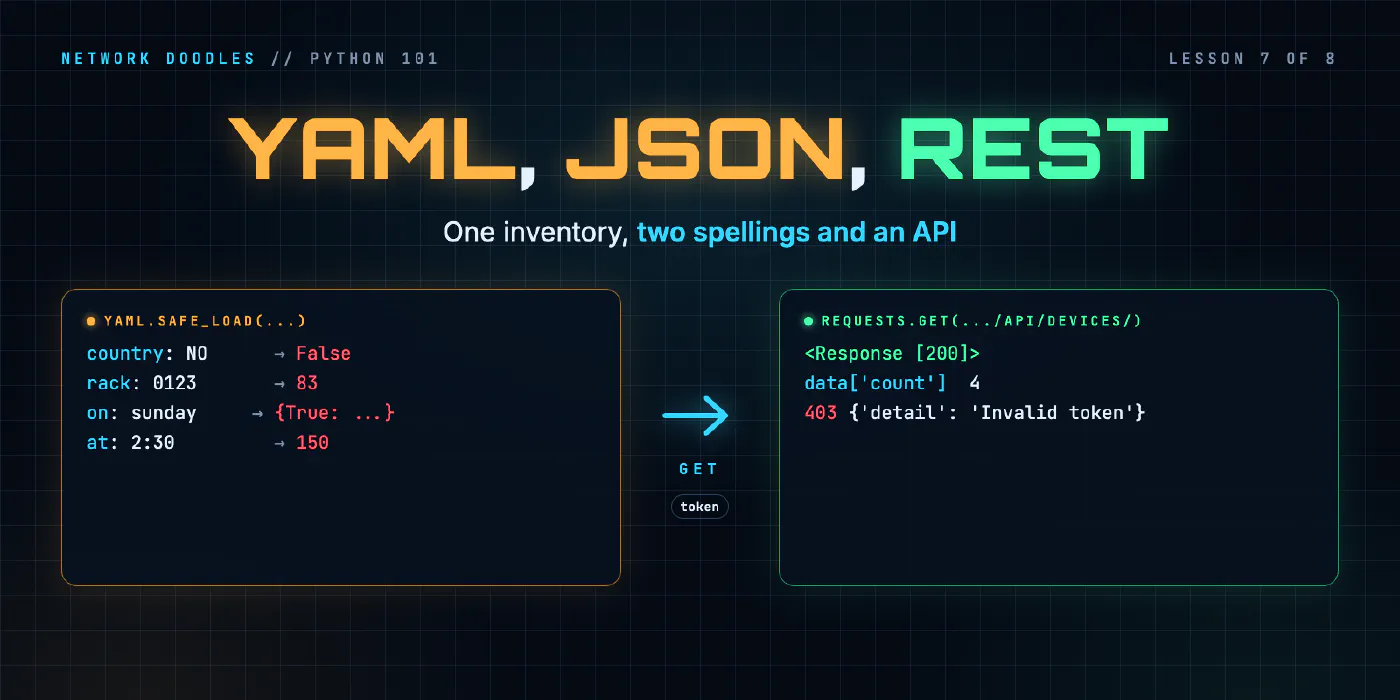
>>> yaml.safe_load("country: NO\nrack: 0123\nbackup:\n  on: sunday\n  at: 2:30\n")
{'country': False, 'rack': 83, 'backup': {True: 'sunday', 'at': 150}}
None of the four survived:
| You wrote | YAML 1.1 reads | Why |
|---|---|---|
NO | False | booleans include yes, no, on, off, in lower, title or upper case |
on: (a key) | True | the same rule, applied to a key: the dict now has the key True, not 'on' |
0123 | 83 | a leading 0 means octal, base 8: 1×64 + 2×8 + 3 |
2:30 | 150 | numbers with colons are base 60 (sexagesimal), for times: 2×60 + 30 |
The first is famous enough to have a name, the Norway problem: a list of country codes in which Norway,
NO, turns into False. A few more from the same rules:
>>> yaml.safe_load("version: 1.10\nvlan: 010\nenabled: yes\n")
{'version': 1.1, 'vlan': 8, 'enabled': True}
1.10 is a float, so the trailing zero goes and a software version
becomes 1.1. 010 is octal 8, a VLAN you didn’t mean. yes is True, which there was probably what you
wanted.
YAML 1.2, from 2009, dropped most of these guesses: only true and false are
booleans, and there’s no base 60. But PyYAML, and so Ansible and most Python tools, still read YAML 1.1. The
fix works in both: quote anything that must stay a string.
>>> yaml.safe_load('country: "NO"\nrack: "0123"\nbackup:\n  "on": sunday\n  at: "2:30"\n')
{'country': 'NO', 'rack': '0123', 'backup': {'on': 'sunday', 'at': '2:30'}}
Quoting on works as a key too. Addresses such as 172.80.111.13 are safe unquoted: with three dots they
can’t be a number, so YAML keeps them as strings.
What is a REST API?
An API (application programming interface) is a way for one program to ask another for data. A REST
API does it over HTTP, the protocol of the web: every thing it holds has a URL, and you act on it with the
HTTP methods your browser already uses. The lab’s api service holds the same inventory, at
http://api:8000/api/devices/:
| Part | In http://api:8000/api/devices/1/ |
|---|---|
| scheme | http: plain HTTP, fine inside a lab; a real API uses https |
| host and port | api:8000: the lab’s API container, port 8000 |
| path | /api/devices/ is the list of devices; /api/devices/1/ is the one with ID 1 |
The methods say what you want done (RFC 9110 defines them):
| Method | Means | In this lab |
|---|---|---|
GET | read | yes |
POST | create | 405 Method Not Allowed: the lab’s API is read-only |
PUT, PATCH | replace, change | 405 |
DELETE | delete | 405 |
The answer starts with a status code, three digits that say how it went. The first digit is the class: 2xx worked, 4xx is a problem with your request, 5xx is a problem on the server.
| Code | Means | You get it from the lab’s API when |
|---|---|---|
| 200 | OK | the request worked |
| 403 | Forbidden | the token is missing or wrong |
| 404 | Not Found | there’s no device with that ID |
| 405 | Method Not Allowed | you tried to change something |
Headers carry everything around the data: what format it’s in (Content-Type: application/json), and who
you are. The lab’s API wants a token, a long random string that stands in for a password, in an
Authorization: Token <token> header. That’s the form NetBox has used for years; NetBox 4.6 deprecates it in
favor of newer tokens sent as Authorization: Bearer ..., but the idea is the same. curl -i, from Linux CLI 101, shows the
status line and the headers. Without a token:
$ curl -i http://api:8000/api/devices/1/
HTTP/1.0 403 Forbidden
Server: lab-api/1.0 Python/3.11.2
Date: Wed, 11 Nov 2026 05:40:46 GMT
Content-Type: application/json
Content-Length: 64

{
  "detail": "Authentication credentials were not provided."
}
The token is in .env as LAB_API_TOKEN, next to the device password, for the same reason: a token is a
password, and it stays out of the code.
How do you call an API from Python?
With requests, the library most Python code uses for HTTP.
requests.get() takes the URL, the headers as a dict, and a timeout in seconds:
>>> import requests
>>> r = requests.get("http://api:8000/api/devices/", headers={"Authorization": "Token 0123456789abcdef0123456789abcdef01234567"}, timeout=5)
>>> r
<Response [200]>
>>> r.status_code, r.headers["Content-Type"]
(200, 'application/json')
>>> data = r.json()
>>> data.keys()
dict_keys(['count', 'next', 'previous', 'results'])
>>> data["count"]
4
r.json() parses the body with the json module and gives you Python values. (In the lab’s code, the token
comes from os.environ["LAB_API_TOKEN"]; it’s written out here so you can see the header.)
Always pass a timeout. Without one, requests never gives up waiting for a server that has stopped answering,
and a script that hangs is harder to debug than one that fails.
count, next, previous and results are NetBox’s way of paging: an API with ten thousand devices
doesn’t send them in one answer. results holds one page, count the total, and next the URL of the
following page, or None on the last one. With two to a page, and the token read from .env this time:
>>> import os
>>> from netlab.env import load_env
>>> load_env()
>>> h = {"Authorization": f"Token {os.environ['LAB_API_TOKEN']}"}
>>> page = requests.get("http://api:8000/api/devices/", headers=h, params={"limit": 2}, timeout=5).json()
>>> page["count"], page["next"], page["previous"]
(4, 'http://api:8000/api/devices/?limit=2&offset=2', None)
>>> [d["name"] for d in page["results"]]
['r1', 'r2']
The lab’s four devices fit in the default page of 50, so the course’s code reads results once. A script for a
real NetBox follows next until it’s None. Paging, other kinds of authentication and API schemas are
material for a later course on data formats and APIs.
What happens when the token is wrong?
The API answers, with a 403 and a JSON body that says why. And requests doesn’t treat that as an error:
>>> bad = requests.get("http://api:8000/api/devices/", headers={"Authorization": "Token nope"}, timeout=5)
>>> bad.status_code, bad.json()
(403, {'detail': 'Invalid token'})
No exception. A script that goes straight on to bad.json()["results"] fails a line later with
KeyError: 'results', which says nothing about tokens. raise_for_status() turns any 4xx or 5xx status into
an exception at the point where it happened:
>>> bad.raise_for_status()
Traceback (most recent call last):
  File "<stdin>", line 1, in <module>
  File "/home/vscode/.venvs/lab/lib/python3.11/site-packages/requests/models.py", line 1167, in raise_for_status
    raise HTTPError(http_error_msg, response=self)
requests.exceptions.HTTPError: 403 Client Error: Forbidden for url: http://api:8000/api/devices/
When nothing answers at all, there’s no status code to check: requests raises ConnectionError itself. Here,
on a port where nothing listens, the last line of a long traceback says:
requests.exceptions.ConnectionError: HTTPConnectionPool(host='api', port=8999): Max retries exceeded with url: /api/devices/ (Caused by NewConnectionError("HTTPConnection(host='api', port=8999): Failed to establish a new connection: [Errno 111] Connection refused"))
Both are kinds of requests.RequestException, so one except can catch every way an HTTP call fails, and
turn it into one line that names the cause, as lesson 6 did for a refused SSH login. That’s task 7.2.
Why does the API’s JSON look so different from the YAML?
Because the API is shaped like NetBox, and NetBox nests. Here’s r1 as the API returns it:
>>> data["results"][0]
{'id': 1, 'url': 'http://api:8000/api/devices/1/', 'name': 'r1', 'device_type': {'model': 'CapeOS-Bolt', 'manufacturer': {'name': 'Network Doodles', 'slug': 'network-doodles'}}, 'role': {'name': 'Router', 'slug': 'router'}, 'platform': {'name': 'cisco_ios', 'slug': 'cisco_ios'}, 'serial': '', 'site': {'name': 'LAB', 'slug': 'lab'}, 'status': {'value': 'active', 'label': 'Active'}, 'primary_ip': {'address': '172.80.111.11/24', 'family': {'value': 4, 'label': 'IPv4'}}}
The role isn’t a string, it’s a dict with a display name and a slug, the short lower-case form used in
URLs and code. The model is inside device_type, the address is inside primary_ip and has its prefix
length. And device_type means something else here: in NetBox it’s the hardware model, while Netmiko’s
device_type is NetBox’s platform. Each of those is an object of its own in NetBox, and
NetBox’s REST API docs say related objects are
included as “nested brief representations”.
To use it, you reshape it into the flat dict the rest of the code expects, one key at a time:
| Inventory key | Where it is in the API’s JSON |
|---|---|
name | name |
host | primary_ip.address, without the /24 |
device_type | platform.slug |
role | role.slug |
model | device_type.model |
Do that, and the two sources agree exactly. With the lab’s finished netlab/inventory.py:
>>> api_to_inventory(get_devices("http://api:8000", "0123456789abcdef0123456789abcdef01234567")) == load_inventory("inventory.yml")
True
That == compares two lists of four dicts, key by key. One function reads a file, the other asks a server,
and the code that uses the result can’t tell which it came from. NetBox as your Ansible
inventory does the same thing for Ansible, and the NetBox course
builds a real one.
What goes wrong
yaml.load(f) raises TypeError about Loader. PyYAML 6 wants a loader named. Use yaml.safe_load(f).
A value comes back as False, True or a number you didn’t write. YAML 1.1 read it as a boolean, an octal
or a base-60 number. Quote it.
A key is True instead of 'on'. The same rule, on a key: d["on"] raises KeyError. Quote the key.
yaml.scanner.ScannerError or ParserError. Usually indentation: a tab, or one item indented differently
from its neighbors. YAML allows spaces only.
KeyError: 'results' after an API call. The API returned an error body, not a list. Call
raise_for_status() before reading the JSON.
A 403 with the right token. Check the header’s exact form: Authorization: Token <token>, with the word
Token and one space.
The script hangs. No timeout=. Add one to every request.
requests.exceptions.JSONDecodeError. The body isn’t JSON, often an HTML error page from a proxy or the
wrong URL. Look at r.status_code and r.text.
Try it
Chapter 7 of the lab has you load inventory.yml with safe_load, write it to
JSON and read it back, and find and quote the four values in the file that YAML reads differently from you.
Then you call the lab’s API with the token, turn a 403 into one clear line, and reshape the nested JSON into
the same list of dicts the YAML gives.
What’s next
You can now read an inventory from a file or an API and log in to every device in it.
Lesson 8 puts the two together: inventory in, show version from
every device, one CSV row each, and a clear list of the devices it couldn’t reach.
Related doodles
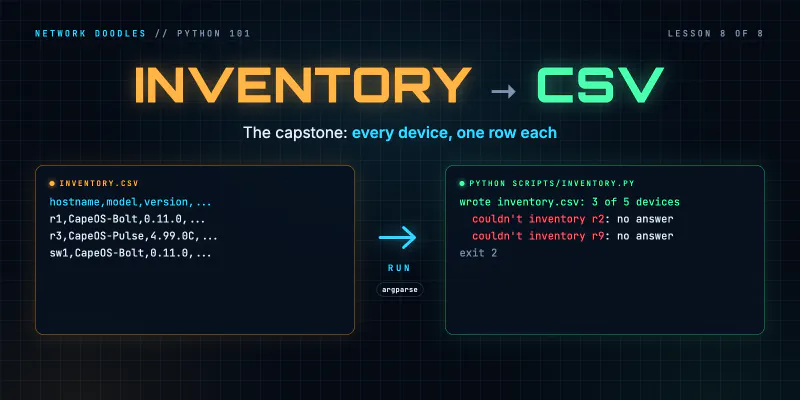
Capstone: an Inventory to CSV (Python 101, Lesson 8)
Shape a small network tool: an inventory in, one function per step, a CSV out. Two device types into one row, csv.DictWriter, carrying on when a …
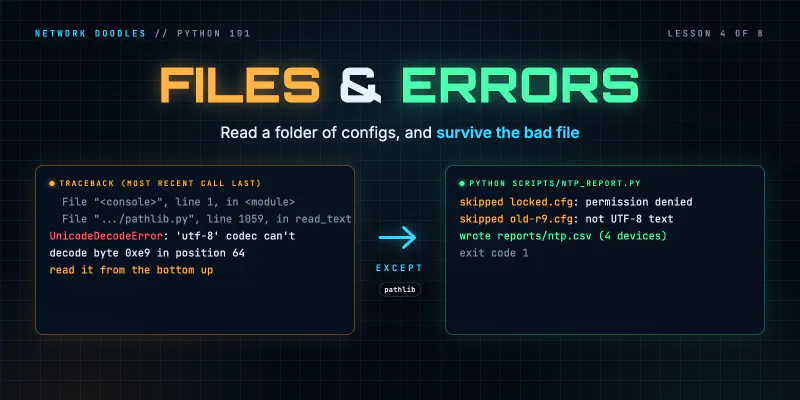
Files, Modules and Errors: Saved Configs In, a Report Out (Python 101, Lesson 4)
Read a folder of saved configs with pathlib and with, write a CSV report, split the code into a module and a script, read a traceback from the bottom …
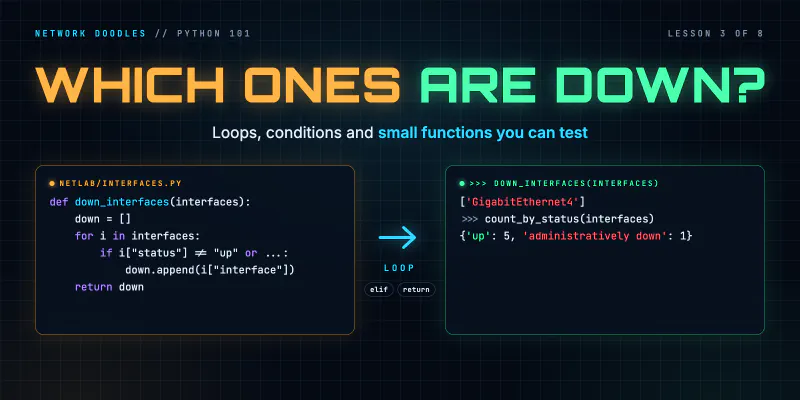
Loops, Conditionals and Functions: Which Interfaces Are Down? (Python 101, Lesson 3)
A for loop runs the same lines for every interface, if decides which ones matter, and a function wraps it up so it can be reused and tested. for over …