Ansible group_vars, host_vars and Facts for Networks (Ansible 101 for Networking, Lesson 3)
Stop hard-coding values in playbooks. group_vars and host_vars, where Ansible actually looks for them, the three precedence rules you need (out of twenty-two), and asking switches for facts with register and set_fact. Lesson 3 of Ansible 101 for networking, with a hands-on lab.
lesson 3 of 8 · course Ansible 101 for networking
- 1Hello, Ansible
- 2Your first playbook
- 3Variables and facts
- 4Loops, conditionals, templates
- 5Handlers, tags, errors
- 6Roles and collections
- 7Secrets
- 8Run it like production
The playbook from lesson 2 works, but it has a problem you’ll recognize from every config template you’ve ever inherited: the values are baked in. The banner text, the contact address and the domain are all typed straight into the task. The day leaf1 needs a different value, you copy the playbook, and now you have two.
This lesson pulls the data out of the playbook and into variables: per group, per host, with clear rules for which one wins. Then we flip the direction and ask the switches for facts, values we read instead of write.
The rule: playbooks describe how, inventory describes what
Here’s the split I push every team toward:
- The playbook says how: “configure NTP from the list of servers”, “set the location from the switch’s location”.
- The inventory says what: which NTP servers, which location, per group and per host.
A playbook written this way never names a switch and never contains an IP address. Add a site, a switch or an NTP server, and you change data, not code. That’s what lets one playbook run safely against a lab, staging and production: same how, different what.
group_vars and host_vars
Ansible looks for variables in two folders, named after the groups and hosts in your inventory:
inventory/
├── hosts.yml
├── group_vars/
│   └── fabric.yml        ← every host in the fabric group
└── host_vars/
    ├── spine1.yml        ← spine1 only
    ├── leaf1.yml
    └── leaf2.yml
The file name is the link. group_vars/fabric.yml applies to every member of fabric, which is every
switch. host_vars/leaf1.yml applies to leaf1 alone. No configuration ties them together; Ansible matches the
names.
First, the connection settings from lesson 1 move out of the inventory and into group_vars/fabric.yml, where
they belong. The inventory goes back to doing one job, listing hosts and groups:
# inventory/group_vars/fabric.yml
ansible_connection: ansible.netcommon.network_cli
ansible_network_os: cisco.ios.ios
ansible_user: admin
ansible_password: capeos-lab            # chapter 7 moves this into a vault

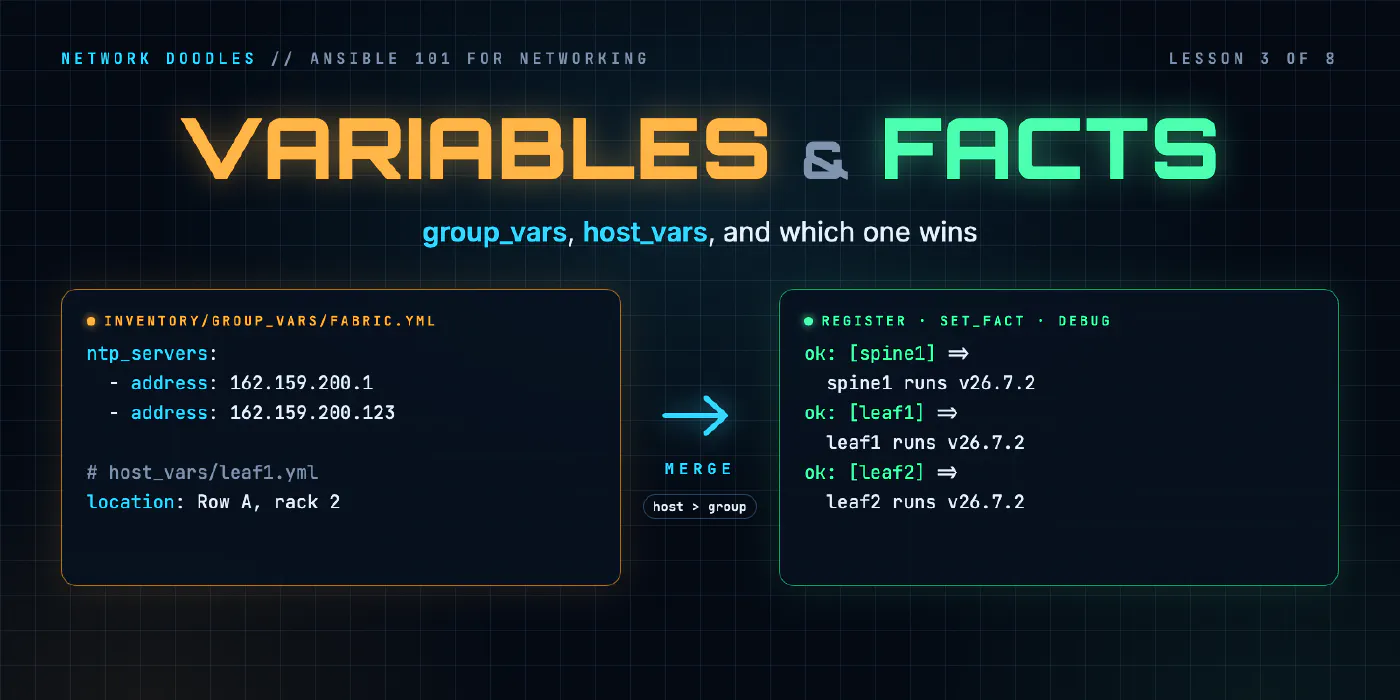
ntp_servers:
  - server: 162.159.200.1
  - server: 162.159.200.123
Notice the shape of ntp_servers: a list of objects with a server key, not a list of bare IPs. That’s on
purpose. It’s the shape the cisco.ios.ios_ntp_global module takes for its servers, so the playbook can hand
the list over as is. When you get to choose how your data looks, shape it like the thing that consumes it.
Each switch’s own facts go in its host file:
# inventory/host_vars/leaf1.yml
location: Row A, rack 2
Where Ansible actually looks
This bit me while building the lab. Ansible loads group_vars/ and host_vars/ from next to the inventory
file and next to the playbook. Not from the folder you run it in, and not from the repo root. I had them
at the top of the repo, the connection settings never loaded, and Ansible tried to SSH into the switches as if
they were Linux servers. The error mentioned temporary directories and never once mentioned variables.
If your variables seem to be ignored, check where the folders are first. Keeping them inside inventory/ is
the layout that never surprises anyone.
One playbook, three different switches
Now the playbook only refers to variable names:
- name: Base config
  hosts: fabric
  gather_facts: false

  tasks:
    - name: NTP servers, from group_vars
      cisco.ios.ios_ntp_global:
        config:
          servers: "{{ ntp_servers }}"

    - name: Where the switch lives, from host_vars
      cisco.ios.ios_config:
        lines:
          - "snmp-server location {{ location }}"
The {{ }} is Jinja2, Ansible’s templating language. {{ location }} means “this host’s value of
location”, so the same task sends snmp-server location Row A, rack 1 to spine1 and
snmp-server location Row A, rack 2 to leaf1. Quote any value that starts with {{; otherwise YAML thinks
you’re starting a dictionary and the error message is no help at all. (Quoting the whole line, as here, is the
habit that saves you from ever having to think about it.)
The two tasks use two kinds of module. The location is one config line, so it’s ios_config from lesson 2,
with the variable inside the line. NTP uses a resource module, ios_ntp_global: it takes structured data
instead of lines, reads the switch’s NTP config into the same structure, compares the two, and sends only
what’s missing. Two servers or ten, the task doesn’t change. That’s why the shape of ntp_servers mattered.
Which value wins
Ansible has twenty-two levels of variable precedence. You need three of them:
- Host beats group. A value in
host_vars/leaf1.ymlbeats the same name ingroup_vars/fabric.yml. This is how you handle the exception without forking the playbook: put the default on the group, the exception on the host. - Specific group beats general group.
group_vars/leaves.ymlbeatsgroup_vars/fabric.ymlbeatsgroup_vars/all.yml, becauseleavesis a child offabric, which is a child ofall. - Extra vars (
-e) beat everything.ansible-playbook site.yml -e location="Lab bench"overrides every file. Useful for a one-off; dangerous as a habit, because the value lives in someone’s shell history instead of in Git.
There’s a fourth you’ll meet in lesson 6: role defaults lose to everything, which is exactly what makes them useful.
When you’re not sure what a host will get, ask Ansible instead of guessing:
ansible-inventory --host leaf1
That prints every variable leaf1 ends up with, after all the merging. It’s the fastest way to settle an argument about precedence.
Facts: reading instead of writing
Variables are what you say. Facts are what the device says. On servers, Ansible gathers facts automatically at the start of each play. On network devices we turned that off in lesson 1, and we ask explicitly instead, with the platform’s own facts module:
- name: What the switches say about themselves
  hosts: fabric
  gather_facts: false

  tasks:
    - name: Gather the switch's facts
      cisco.ios.ios_facts:
        gather_subset: min

    - name: Keep the two facts we care about
      ansible.builtin.set_fact:
        sw_version: "{{ ansible_facts.net_version }}"
        sw_serial: "{{ ansible_facts.net_serialnum }}"

    - name: Show them
      ansible.builtin.debug:
        msg: "{{ inventory_hostname }} runs {{ sw_version }}, serial {{ sw_serial }}"
A facts module is the difference between scraping and asking. In lesson 1 you ran show version and read the
answer yourself. ios_facts runs the show commands for you, parses the output, and hands back data:
net_version, net_serialnum, net_hostname, net_image. Those land in ansible_facts, for that
host, for the rest of the play. gather_subset: min asks for the basics and nothing more.
Then two keywords do the rest:
set_factcreates new variables for this host, here under shorter names that read better later. Variables made this way are called facts too.debugprints. It’s theprint()of Ansible, and you’ll use it more than you’d like to admit.
On leaf1 the last task prints:
msg: leaf1 runs 0.1.2, serial CAPEQ3I7EKD
(It’s a lab switch, so the serial is a made-up placeholder.)
When the value you want isn’t a fact, any task’s result can be kept: register: something saves the
module’s whole return value in a variable. Lesson 5 uses it to read a port’s config back after a change.
The lab’s version also writes those facts to a file per switch with the copy module. Because that file
belongs on your machine and not the switch, the task runs with delegate_to: localhost. Remember that
pattern: any time a task should run on the control node instead of the device, delegate it.
Where people get it wrong
1. Variables everywhere
Vars in the play, vars in the inventory, vars in group_vars, a vars_files list, and -e in the run
script. Ansible allows all of it; your teammates can’t follow it. Pick two places, group_vars and
host_vars, and keep values there unless you have a reason.
2. Same variable, different meanings
vlan meaning a VLAN ID in one playbook and a VLAN name in another. servers meaning NTP in one file and
syslog in the next. Name variables for what they are: ntp_servers, syslog_servers, mgmt_vlan_id. Lesson 6
adds a prefix rule for roles that makes this automatic.
3. Data shaped for humans, not for the device
A list of IPs when the module wants a list of objects, a comma-separated string when it wants a list. Every mismatch becomes Jinja gymnastics in the playbook. Shape the data like the module it feeds, and the playbook stays boring, which is what you want from a playbook.
4. Gathering every fact, every run
gather_subset: all runs a pile of show commands on every switch, every time. It works, it’s slow, and it’s a
lot of data to dig through. Ask for the subset you need, like the playbook above does.
Try it
Chapter 3 of the lab moves the connection settings into group_vars, sets NTP
and a location per switch from one playbook, then has you read each switch’s version and serial with
ios_facts and write them to a file.
Next, in lesson 4, we configure every port from a list of data,
treat uplinks differently with when, and render a report of the whole fabric with Jinja2.
Related doodles
Ansible Handlers, Tags and block/rescue on Network Devices (Ansible 101 for Networking, Lesson 5)
Save the config only when something actually changed with handlers, run just part of a playbook with tags, and recover when a change fails halfway …
Ansible Inventory and Ad-Hoc Commands for Network Switches (Ansible 101 for Networking, Lesson 1)
Ansible for people who run networks, not servers. What Ansible actually does when the target is a switch, how an inventory works, how to point it at a …
Ansible Loops, when and Jinja2 Templates for Network Config (Ansible 101 for Networking, Lesson 4)
Configure every port on every switch from a list of data with loop, treat uplinks differently with when, and render a report of the whole fabric with …