Your First Ansible Playbook for Network Devices (Ansible 101 for Networking, Lesson 2)
Plays, tasks and modules, explained with switches. Write a playbook that configures a whole fabric, read the PLAY RECAP like a pro, prove it’s idempotent, and use check mode and diff as your change review. Lesson 2 of Ansible 101 for networking, with a hands-on lab.
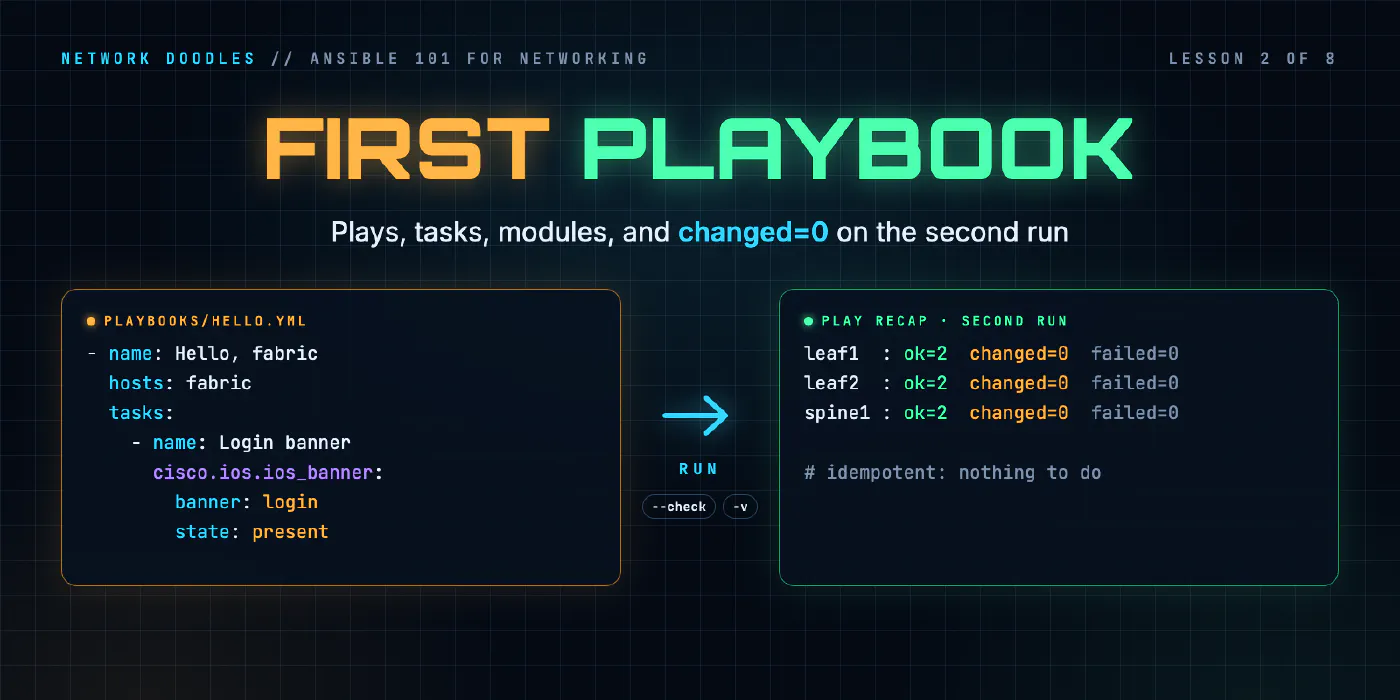
lesson 2 of 8 · course Ansible 101 for networking
- 1Hello, Ansible
- 2Your first playbook
- 3Variables and facts
- 4Loops, conditionals, templates
- 5Handlers, tags, errors
- 6Roles and collections
- 7Secrets
- 8Run it like production
In lesson 1 we pointed Ansible at three switches and asked them questions, one ad-hoc command at a time. That’s useful, but it’s still you typing commands. The moment you want to make the same change everywhere, review it before it happens, and run it again next month without thinking, you want a playbook.
This lesson covers what one looks like, what a run tells you, and the two things that separate automation from a fancy SSH loop: proving a second run changes nothing, and previewing a change before you make it.
Anatomy of a playbook
Here’s a whole one. It sets the contact and the login banner on every switch in the fabric:
---
- name: Hello, fabric
  hosts: fabric
  gather_facts: false

  tasks:
    - name: Who to call
      cisco.ios.ios_config:
        lines:
          - snmp-server contact netops@networkdoodles.com

    - name: Login banner
      cisco.ios.ios_banner:
        banner: login
        text: "Managed by Ansible - Network Doodles lab"
        state: present
Three layers, and once you see them you’ll see them everywhere:
| Layer | Here | What it means |
|---|---|---|
| Playbook | the file | A list of plays, run top to bottom |
| Play | - name: Hello, fabric | Which hosts, plus the tasks to run on them |
| Task | - name: Who to call | One call to one module, with arguments |
The play’s hosts: fabric uses the same patterns as ad-hoc commands, so leaves, leaf1 or
fabric:!spines all work. gather_facts: false is there because, as we saw in lesson 1, there’s no Python on a
switch to gather facts with.
The first task calls cisco.ios.ios_config, the module that adds configuration lines. You give it the
lines as you’d type them in config mode. Before it sends anything, it reads the switch’s running config and
checks whether each line is already there. Lines that are present are left alone; only the missing ones get
sent. So the task describes a line that should be in the config, and the module decides whether to type it.
The second task uses a different module, because a banner isn’t one config line. It’s a block of text between
two delimiters, which a line-by-line comparison can’t handle reliably. cisco.ios.ios_banner knows what a
banner looks like on the switch and compares the text itself.
Always name your tasks. The name is what shows up in the output, in the CI log, and in the 2am message from whoever ran it. “Who to call” tells you what happened; an unnamed task tells you which module ran.
Lines, exactly as the switch prints them
ios_config compares text. It doesn’t know what snmp-server contact means; it knows whether that string
appears in the running config. That has one big consequence: write each line the way show running-config
prints it, not the way you’d abbreviate it at the prompt.
At the prompt, IOS-style CLIs are forgiving: they accept shortcuts and store the long form, so int gi1
becomes interface GigabitEthernet1 in the running config. A playbook gets no such forgiveness. Write a
line in any form other than the one the switch prints (snmp contact where it prints snmp-server contact)
and ios_config never finds it in the running config. If the switch accepts the short form, the module sends
it again on every run and reports changed every time. It reminds you of this whenever it changes something:
[WARNING]: To ensure idempotency and correct diff the input configuration lines should be
similar to how they appear if present in the running configuration on device
The same rule explains a trap you’ll meet in lesson 4: a port that’s up has no no shutdown line in the
running config, so a playbook that lists no shutdown would never find it there.
That’s the trade-off of CLI-based config modules:
CLI config modules (ios_config) | Model-driven APIs (NETCONF, gNMI, JSON-RPC) | |
|---|---|---|
| What you write | Config lines you already know | Paths and values in the device’s data model |
| How it compares | Text lines against the running config | Structured data; the device works out the difference |
| Works on | Anything with a CLI Ansible can drive | Platforms that have the API |
| Where it bites | Abbreviations, defaults that don’t print, ordering | Learning the data model; less readable for humans |
Neither is wrong. A CLI module is the fastest route from “I know the command” to “it’s automated”, and every
line in the playbook is one you can check by hand. You just own the exact text. In between sit the
resource modules (ios_ntp_global, ios_interfaces), which take structured data and parse the running
config into the same structure before comparing. You’ll use those from lesson 3 on, for the things a plain line
compares badly.
What a run looks like
ansible-playbook playbooks/hello.yml runs it. The first time, against switches that don’t have the contact
yet, the first task looks like this:
TASK [Who to call] *********************************************
[WARNING]: To ensure idempotency and correct diff the input configuration lines should be
similar to how they appear if present in the running configuration on device
changed: [spine1]
changed: [leaf1]
changed: [leaf2]

PLAY RECAP *****************************************************
leaf1    : ok=1    changed=1    unreachable=0    failed=0 ...
leaf2    : ok=1    changed=1    unreachable=0    failed=0 ...
spine1   : ok=1    changed=1    unreachable=0    failed=0 ...
The PLAY RECAP is the most important part of any run, and the part people scroll past. Read it first, every time:
oktasks found things already as described, or made them so.changedtasks actually changed something on the device.failedandunreachableare the ones that need you. If either is non-zero, scroll up to the first redfatal:line; it names the task and the reason.
The hosts don’t always finish in the same order. Ansible works on several hosts at once (five by default), so the switches that answer first finish first. That’s a feature, and it’s why your tasks should never depend on the order hosts run in.
The second run
Run the same playbook again and every task says ok, the recap says changed=0, and the warning is gone. The
module read each switch’s running config, found every line already there, and sent nothing. That’s
idempotency, and it’s the single most important property of a good playbook.
It’s what lets you run the same playbook daily, from a pipeline, against a hundred switches, and have it
change exactly the ones that drifted. A playbook that reports changed on every run is lying to you about
what it did, and you lose the ability to tell a real change from noise. With ios_config, the usual liar is a
line that isn’t written the way the switch prints it.
When I review someone’s automation, the first thing I do is run it twice. If the second run isn’t
changed=0, we’re not talking about anything else until it is.
Check mode: your change review
On a real network you don’t make a change and hope. You find out what it would do first, and Ansible has that built in.
--check runs the playbook in check mode: Ansible logs in, reads the running config, works out which lines
are missing, and stops there. Nothing is sent. Add -v and each task that would change something prints
its result, including the exact commands it would type:
TASK [The domain the switches live in] ******************************
changed: [leaf1] =>
    banners: {}
    changed: true
    commands:
    - ip domain name lab.networkdoodles.com
    updates:
    - ip domain name lab.networkdoodles.com
commands:is what it would send in config mode, on this switch, worked out from what’s actually there.changed: truein check mode means “would change”. Nothing has, yet.- A task that’s already right says
ok:and has no commands.
You may know --diff from server playbooks, where it shows a file’s before and after. It’s worth adding to
your habits, but don’t count on it here: the cisco.ios modules, used the way the lab uses them, don’t print
a line-by-line diff in check mode. On these switches, the commands: list from -v is the change review.
Platforms whose modules ask the device for a diff will show you one with --diff; find out which kind yours
is before you rely on it.
This is the part I’d tattoo on every network team’s change process. A check-mode run is a better change review than any change ticket: it’s generated from the real devices, it’s exact, and it takes seconds. And it works on both sides of the change. Before, it tells you what will be sent. After, the same check finds nothing left to do, which is your proof the change landed everywhere.
Where people get it wrong
1. Sending commands instead of describing config
Every collection has a “send these commands” module: cisco.ios.ios_command, or the generic
ansible.netcommon.cli_command. It’s tempting to put configure terminal and your config in one and call it
done. It works once. Then it reports the same thing every run, can’t do check mode honestly, and can’t tell
you what’s different, because it never looks at the running config.
ios_config looks like it does the same job, since it also takes CLI lines, but it reads the running config
first and only sends what’s missing. That’s the difference that matters. Keep the command modules for
questions (and, in lesson 5, for the few operational commands like write memory).
2. Trusting changed from modules that can’t know
Related: changed is only as honest as the module. A config module that compares against the device is honest,
as long as you’ve written the lines the way the device prints them. A shell or command module just reports “I
ran something”. If your recap says changed on every run, find out which task is guessing.
3. Assuming check mode is safe everywhere
--check is only as safe as each module’s support for it. Well-behaved config modules skip the change and
report what they would have done. Modules that run raw commands may skip themselves entirely, or worse, run
anyway. Check mode is a superb review tool once you know your modules; it isn’t a guarantee you can hand to
someone who doesn’t.
4. YAML that looks right
Two spaces, never tabs. A list item is - , and everything belonging to it lines up under its first key. Quote
any string with a : or a # in it. The banner above doesn’t strictly need its quotes, but quoting text
you’ll show humans is a good habit. VS Code’s YAML extension (in the lab) underlines most mistakes before
Ansible sees them.
Try it
Chapter 2 of the lab builds this playbook on all three switches, proves the second run changes nothing, then previews a domain name and LLDP with check mode before applying them.
Next, in lesson 3, we stop hard-coding values in playbooks: variables per group and per host, which one wins, and asking the switches for facts we can use.
Related doodles
Ansible Handlers, Tags and block/rescue on Network Devices (Ansible 101 for Networking, Lesson 5)
Save the config only when something actually changed with handlers, run just part of a playbook with tags, and recover when a change fails halfway …
Ansible Inventory and Ad-Hoc Commands for Network Switches (Ansible 101 for Networking, Lesson 1)
Ansible for people who run networks, not servers. What Ansible actually does when the target is a switch, how an inventory works, how to point it at a …
Ansible Loops, when and Jinja2 Templates for Network Config (Ansible 101 for Networking, Lesson 4)
Configure every port on every switch from a list of data with loop, treat uplinks differently with when, and render a report of the whole fabric with …